
TWO_FACTOR_AUTH
Secure your accounts with 2FA and hardware keys. YubiKey, TOTP, password manager integration. Gaming-focused.
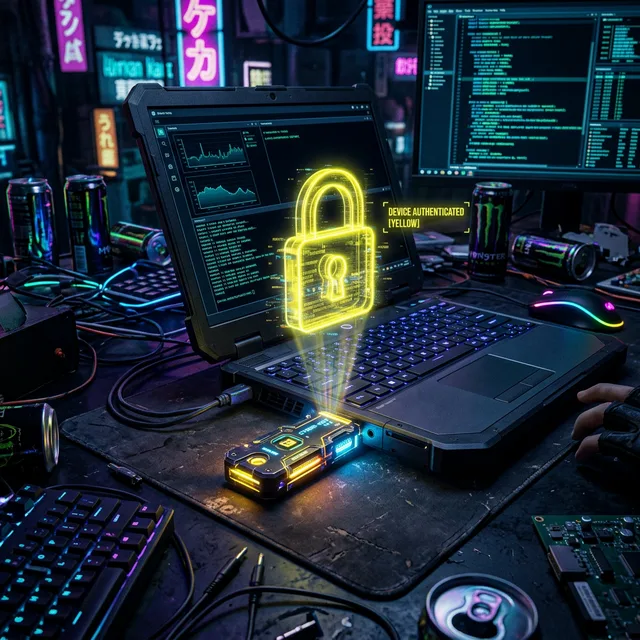
WHY 2FA IS ESSENTIAL FOR GAMERS
As a gamer, your accounts hold thousands in value: Steam library, Epic Games, Battle.net, console accounts. Password alone isn't enough.
ACCOUNT THEFT IS REAL
- • Credential stuffing - Reused passwords leaked from other sites
- • Phishing - Fake login pages for Steam/EA/Ubisoft
- • Session hijacking - Stealing active login cookies
- • Social engineering - Support scams to gain access
2FA METHODS: FROM WORST TO BEST
YUBIKEY: THE GOLD STANDARD
YubiKey is a hardware security key that connects via USB-C/NFC. It's the most secure form of 2FA available to consumers.
WHICH YUBIKEY TO BUY?
YubiKey 5 NFC (RECOMMENDED)
- • USB-A + NFC for phones
- • All protocols supported
- • ~$45-55
YubiKey 5C NFC
- • USB-C + NFC
- • Modern laptops
- • ~$55
YubiKey 5Ci
- • USB-C + Lightning
- • iPhone + modern laptops
- • ~$75
SETUP YUBIKEY ON BAZZITE
Bazzite is Fedora-based gaming OS. YubiKey works out of the box with modern browsers.
# Step 1: Verify YubiKey is detected
lsusb
# Look for Yubico or similar device

# For more details
sudo dnf install -y yubikey-manager
ykcli info
# Step 2: Test in browser
# Visit Yubico test page
https://www.yubico.com/support/test-your-yubikey/

# Test WebAuthn/FIDO2 functionality
ENABLING 2FA ON GAMING SERVICES
Steam
Steam Guard (Authenticator) or Email
Settings → Account → Steam Guard
Epic Games
TOTP App (Authy, Google Auth)
Account → Password & Security
Battle.net
Authenticator App or SMS
Security Settings
PlayStation Network
2-Step Verification (SMS/Auth)
Account Settings → Security
Xbox/Microsoft
Authenticator App or Hardware Key
Security Basics → Advanced
Nintendo
2-Step Verification (Google Auth)
Account Settings → Sign-in
Ubisoft
2-Step Verification (Google Auth)
Account Settings → Security
Riot Games
Two-Factor Authentication (Auth)
Account → Two-Factor Auth
PASSWORD MANAGERS WITH BUILT-IN 2FA
The best setup: Use a password manager that stores both passwords AND 2FA codes. Single vault, encrypted, synced.
1PASSWORD
- • Built-in 2FA codes
- • Watchtower for breach alerts
- • YubiKey support
- • Cross-platform
BITWARDEN (RECOMMENDED)
- • Open source, audited
- • Free tier generous
- • YubiKey support (Premium)
- • Self-hosting possible
PROTON PASS
- • Privacy-focused
- • Swiss-based
- • 2FA integration
- • Free tier available
CRITICAL: BACKUP CODES
When you enable 2FA, you'll get backup codes. These are your lifeline if you lose access.
- • Print them and store securely (not with your password!)
- • Save them in your password manager as "Backup Codes - SERVICE"
- • Store them encrypted on a USB drive
- • Never store them in plain text on your computer
FIDO2 & U2F: WHY HARDWARE KEYS ARE SUPERIOR
FIDO2 and U2F are open standards for hardware authentication. Unlike TOTP codes, they cannot be phished.
How FIDO2 prevents phishing:
- 1. The key binds to the exact domain (e.g., steamcommunity.com)
- 2. A fake site (steemcommunity.com) gets a cryptographic error
- 3. The key simply won't authenticate on wrong domains
Bottom line: If a service supports FIDO2/WebAuthn, use a YubiKey. It's the most secure option available.
TROUBLESHOOTING
YubiKey Not Detected
- • Try different USB port
- • Check lsusb for device
- • Update YubiKey firmware
- • Disable BIOS USB port restrictions
Lost 2FA Access
- • Use backup codes (you saved them, right?)
- • Contact support with ID verification
- • Some services offer recovery email
- • This is why backup codes are critical!
FAQ / TROUBLESHOOTING
❓ SMS vs TOTP vs Hardware key — what's the difference?
SMS is the weakest (SIM-swap attacks, interception). TOTP apps like Google Authenticator or Aegis are app-based 6-digit codes, time-limited. Hardware keys (YubiKey, Titan) are physical devices using FIDO2/WebAuthn — strongest, immune to phishing. Always use the strongest method a service supports.
❓ I lost my phone with the authenticator app!
Use your backup codes (you saved them at 2FA setup, right?). If you didn't, you'll need to do account recovery via the service's support — usually ID verification. This is exactly why hardware keys or Aegis with cloud backup are safer.
❓ Are TOTP apps really safer than SMS?
Yes, dramatically. SMS relies on your phone number being controlled by a SIM that can be remotely swapped (SIM-jacking). TOTP codes are generated locally on your device, time-limited, and never leave it. Hardware keys add phishing resistance on top.
❓ What happens if my YubiKey breaks?
This is why you should always have two YubiKeys registered to important accounts (one daily, one in a safe). If one breaks, you use the other to re-register a new one. Most services let you register multiple hardware keys.
❓ Is Google Authenticator / Authy safe?
Google Authenticator now supports encrypted cloud backup (2023+) — safe. Authy has cloud sync but was acquired by Twilio and shut down desktop apps. Aegis is the best open-source option for Android with local encrypted backup. For iOS, try 2FAS or OTP Auth.
❓ What about passkeys? Are they replacing 2FA?
Passkeys (FIDO2) are slowly replacing passwords and 2FA at the same time — they're a single-factor passwordless login. Your YubiKey supports them. The downside: passkey portability between ecosystems is still immature (Apple ↔ Google ↔ Windows sync is fragile).
❌ NEED HELP?
Account recovery is service-specific. Most providers have a dedicated security help center.